
Let's face it: our desktop screens are battlegrounds of distraction. Between pinging Slack notifications, floating browser tabs, and complex project managers, maintaining deep focus can feel like an uphill battle. If you find yourself constantly losing track of time or struggling to stay on task, upgrading your workspace with a minimalist pomodoro timer desktop solution can be a game-changer.
A minimalist pomodoro timer for desktop doesn't clutter your desktop. Instead, it provides a clean, calming visual reference that anchors your attention, helping you divide work into structured intervals separated by brief breaks. By eliminating unnecessary menus, metrics, and distractions, these tools let you enter a state of flow state effortlessly.
Whether you're looking for a browser-based study portal or a native background app, here are the 5 best minimalist pomodoro timers for desktop on Mac, Windows, and Linux.
1. PlantPomo (Free & 100% Ads-Free)
For those who want visual elegance combined with structured concentration, PlantPomo is the ultimate option. While it runs in the web browser, it behaves as an incredibly lightweight, fully optimized minimalist pomodoro timer desktop hub that easily fits beside your primary workspace or runs full-screen on a second display.
PlantPomo combines a clean, modern timer dashboard with customizable environments, integrated task lists, and relaxing ambient lofi background music. Best of all, it commits to a strict, 100% ads-free environment forever. You will never have to worry about popping ads or banner interruptions derailing your study block.
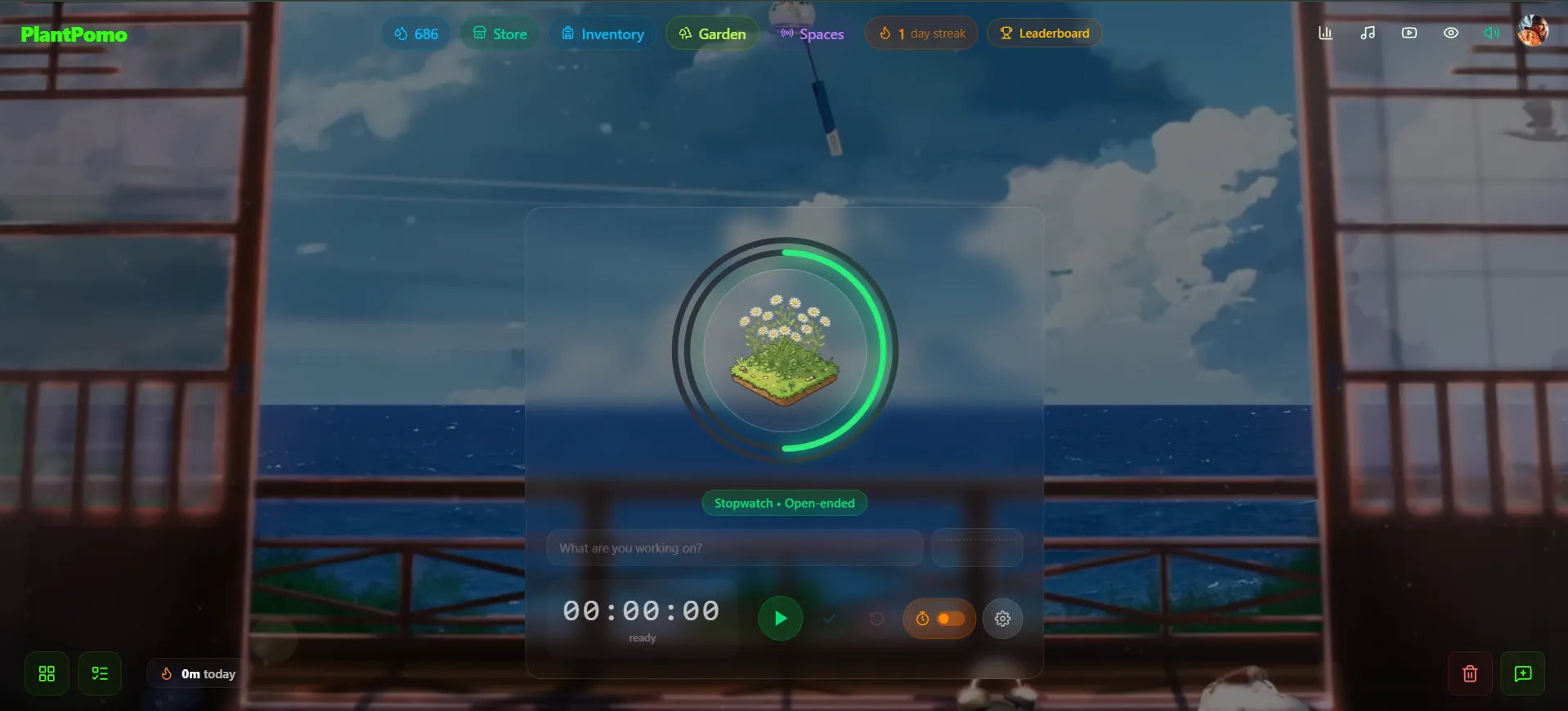
Gamify Your Productivity: The Focus Garden
What sets PlantPomo apart from standard countdown clocks is its interactive focus garden. Every successful focus interval you complete contributes to growing and nurturing virtual plants in your digital yard. If you close the tab or cancel your timer prematurely, your plant's progress resets. This gentle gamification creates a fun, low-stress psychological barrier to staying focused.
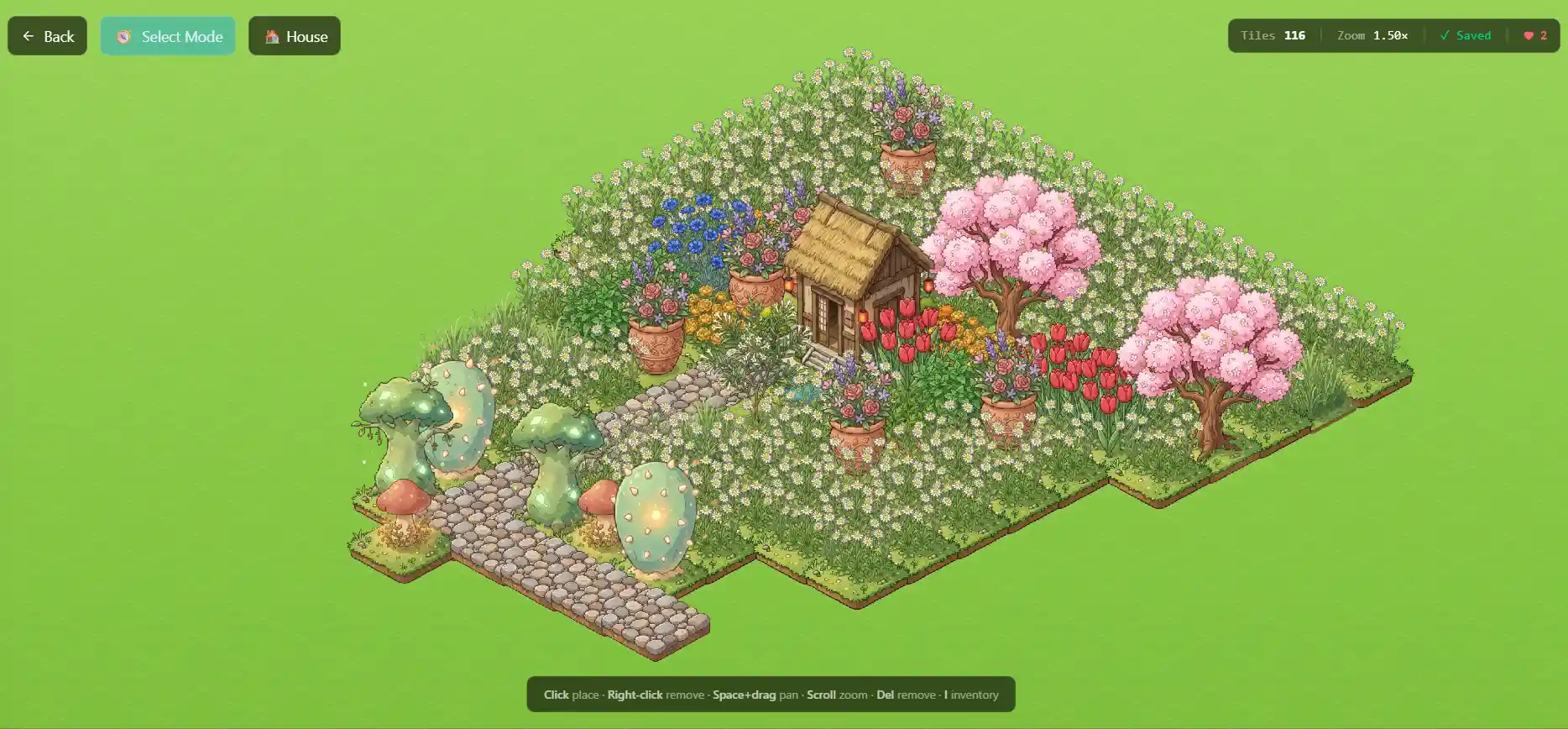
"By combining ambient audio, beautiful visual theme dashboards, and a gamified garden, PlantPomo turns the abstract challenge of study discipline into a visually satisfying habit."
2. Pomofocus
If you need an ultra-simple, web-based countdown timer, Pomofocus is a popular utility. It offers a classic Pomodoro timer format with customizable intervals, a simple task checklist, and basic focus statistics.
While the UI is clean and straightforward, the free version displays banner ads that can be distracting during work blocks. To get a fully clean, ads-free experience, you have to upgrade to their premium subscription plan.
3. Be Focused (macOS)
For Apple users who prefer a native application, Be Focused is a classic menu bar utility for macOS. It sits quietly in the top navigation bar, allowing you to start, pause, and configure timers without opening a full-window interface.
It includes simple task management and CSV reporting tools, making it excellent for tracking professional work logs. However, the free version is heavily ad-supported, and synchronization across devices requires buying the Pro version.
4. Focus To-Do (Cross-Platform)
If you want a native desktop client that syncs across Windows, Mac, iOS, and Android, Focus To-Do is a comprehensive choice. It bridges the gap between a simple timer and a full task manager, enabling you to assign focus sessions to specific categories.
It is feature-rich, providing detailed analytics, focus ranking leaderboards, and white noise audios. The downside is that the interface is more complex and less "minimalist" than other options, which might overwhelm users who prefer a simpler, clean study environment.
5. Flow (macOS)
For macOS users seeking absolute minimalism, Flow is an award-winning utility. It resides in the menu bar and displays a sleek, clean timer overlay when clicked. It also has features to block distracting websites and apps during active sessions.
Flow has beautiful animations and hotkey integrations, making it fast and unobtrusive. The key limitation is that it is exclusive to macOS and doesn't offer cross-platform sync or web access, leaving Windows and Linux users to seek alternatives.
Comparing the Top Desktop Pomodoro Timers
To help you choose the best minimalist pomodoro timer for your desktop, here is a comparison of their core features and pricing:
| Timer App | Supported Platforms | 100% Ads-Free | Best Feature | Pricing |
|---|---|---|---|---|
| PlantPomo | Web (Mac, Windows, Linux, Mobile) | Yes (No ads, ever) | Gamified garden & custom audio/video spaces | Free |
| Pomofocus | Web, Native Wrappers | No (Ad-supported) | Extremely fast load time & simple settings | Free (Paid premium removes ads) |
| Be Focused | macOS, iOS | No (Ad-supported) | Sits in Mac menu bar | Free (Paid Pro available) |
| Focus To-Do | Windows, Mac, iOS, Android | No (Ad-supported) | Detailed task categorization | Free (Premium unlocks features) |
| Flow | macOS only | Yes | Sleek menu bar overlay & app blocker | Free (Pro version unlocks customization) |
Key Features to Look for in a Minimalist Desktop Timer
When selecting a minimalist pomodoro timer desktop tool, keep these factors in mind to ensure it supports your workflow:
- Ads-Free Experience: Choose a platform that has zero ads. Banner ads and flash promotions are designed to capture attention—the exact opposite of what a focus timer should do. A tool like PlantPomo is built specifically to prevent this.
- Auditory Comfort: Look for timers that offer integrated background noise, such as lofi beats or soft nature rain. This prevents you from constantly switching to Spotify or YouTube to find background audio.
- Visual Feedback: A timer doesn't have to be a boring clock. Gamified timers that show visual progress (like watching plants grow or filling up containers) offer a satisfying dopamine release when completing a work cycle.
- Cross-Platform Accessibility: If you use both a Mac laptop and a Windows desktop, a web-based timer guarantees your history, settings, and habits sync seamlessly.
Upgrade your digital desk setup today. Find the ideal minimalist pomodoro timer for your desktop, romanticize your working hours, and turn productivity into a peaceful, rewarding habit. If you want to explore more study environments, check out our reviews on the best aesthetic study websites, the best gamified study apps, or setting up a dedicated study ambience website.